KERN.
KERN is a fictional business scenario created by CODEVILLE to demonstrate a custom workflow application. Projects, organizations, figures and interfaces shown here are illustrative and do not represent a client engagement or measured business results.
When the workflow is specific, generic software can become the workaround.
KERN demonstrates a process that needs structured data, clear ownership, validation and approvals — without forcing the business into a generic workflow that does not match the way it operates.
Scattered data entry
Project information can be spread across forms, files and messages.
Weak validation
Errors become visible only after they have already moved downstream.
Unclear ownership
Teams need to know who can create, review, approve and change each record.
Structure the work around the real process.
Instead of separate files for project details, timelines, budgets and milestones, KERN brings the process into a single application with a clear sequence.
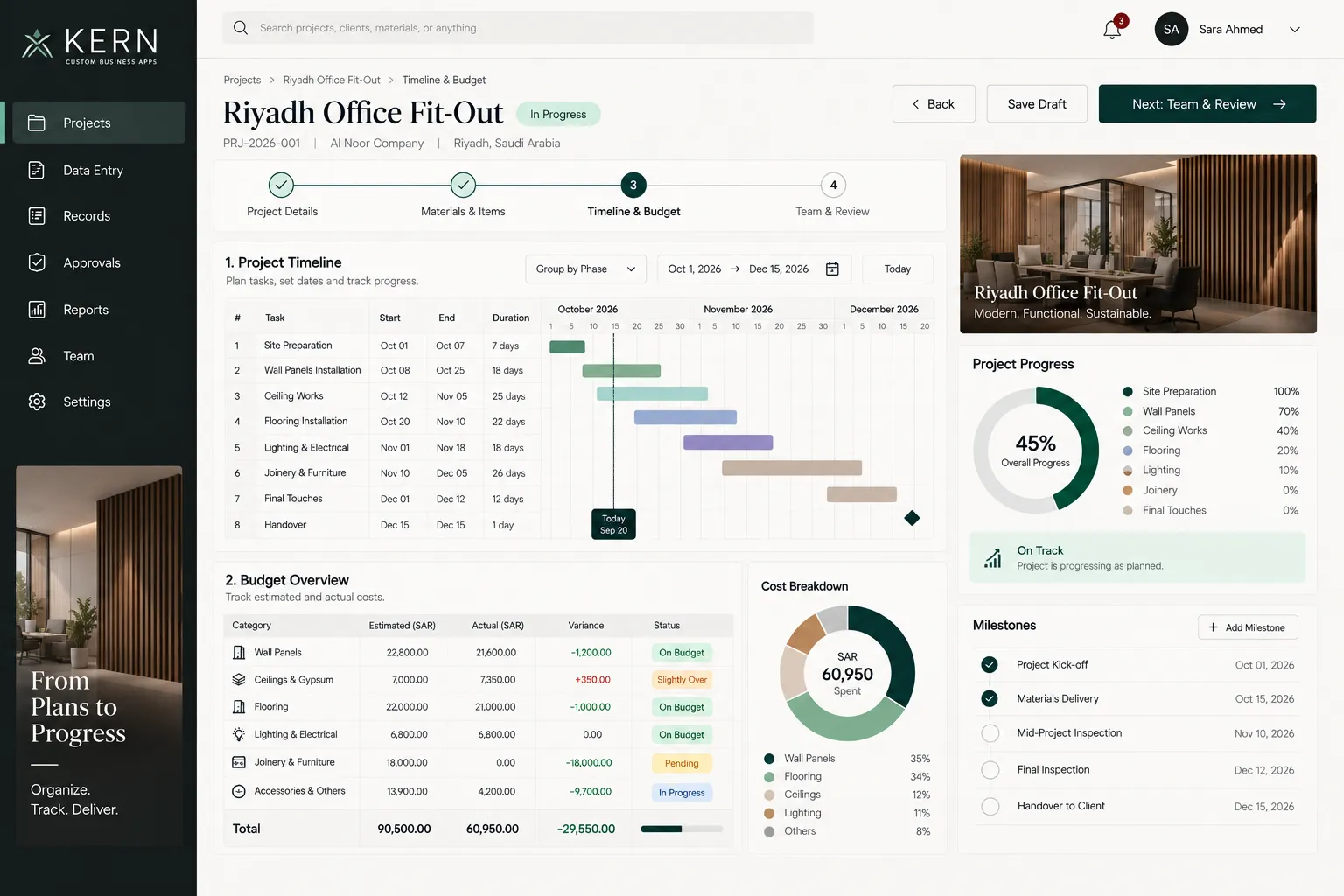
Timeline, budget and progress in the same operational view.
The application can connect schedule, costs, milestones and project status so users work from one consistent record instead of reconciling multiple sources.
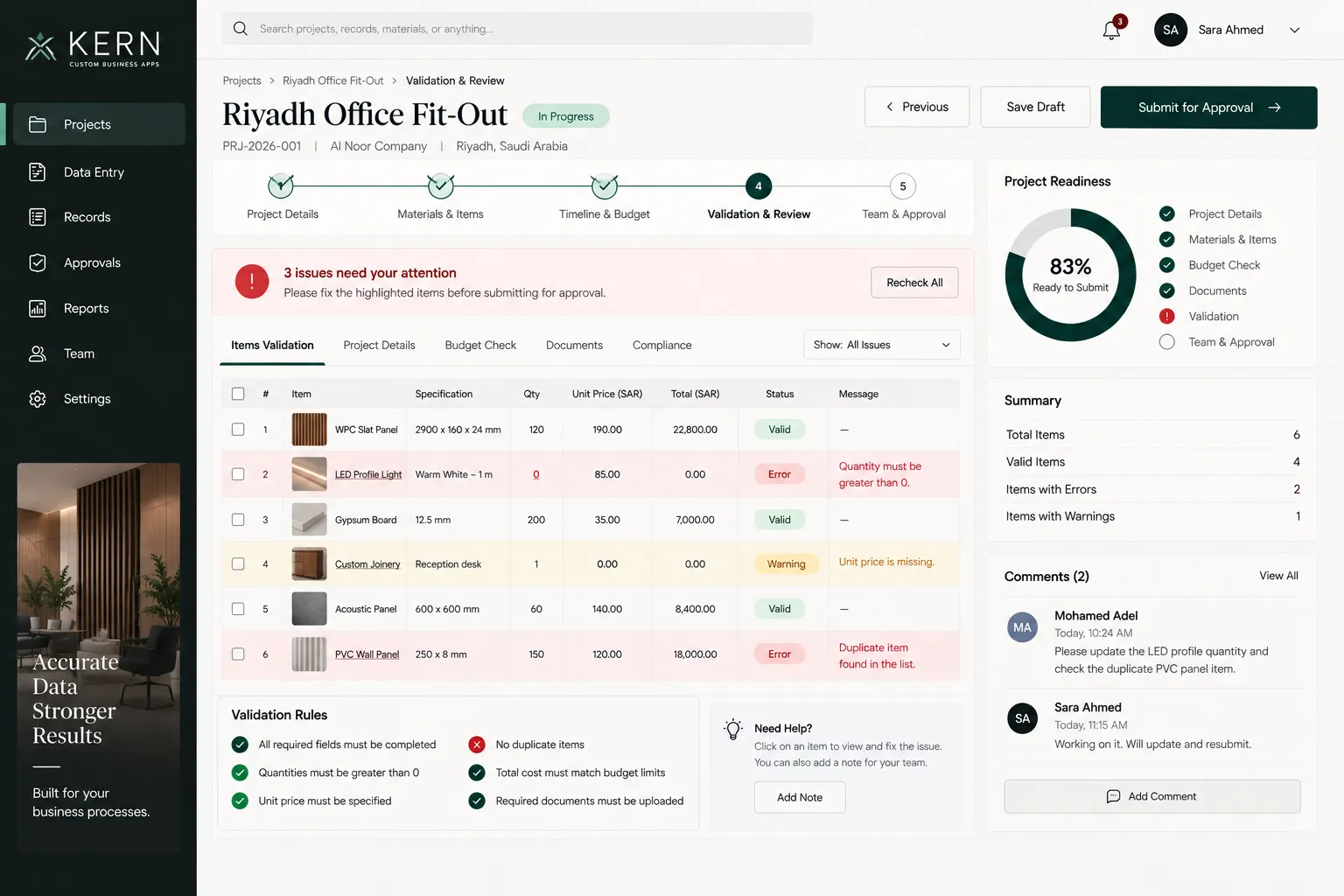
Catch the problem before it becomes workflow.
Validation rules can check the record before submission: missing values, duplicates, invalid quantities, incomplete documents or business-specific exceptions.
Required Data
Prevent incomplete submissions before they enter the approval flow.
Business Rules
Apply workflow logic based on quantities, costs and project requirements.
Duplicate Checks
Flag repeated items or records before they distort operational data.
Review Readiness
Show whether a project is genuinely ready for approval.
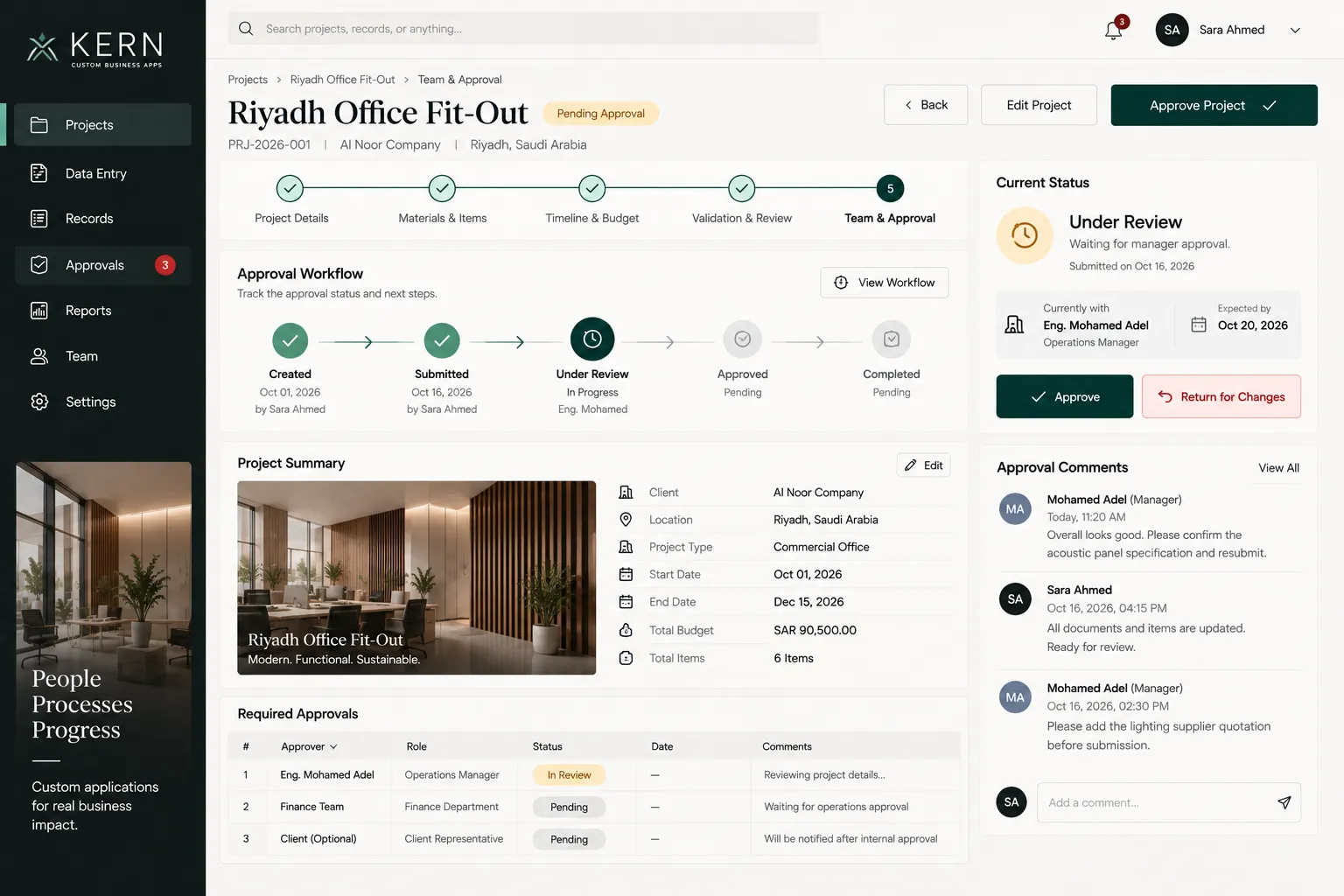
Make decisions visible, not buried in messages.
Approval status, comments, ownership and next actions can live inside the process instead of being reconstructed from email threads or chat messages.
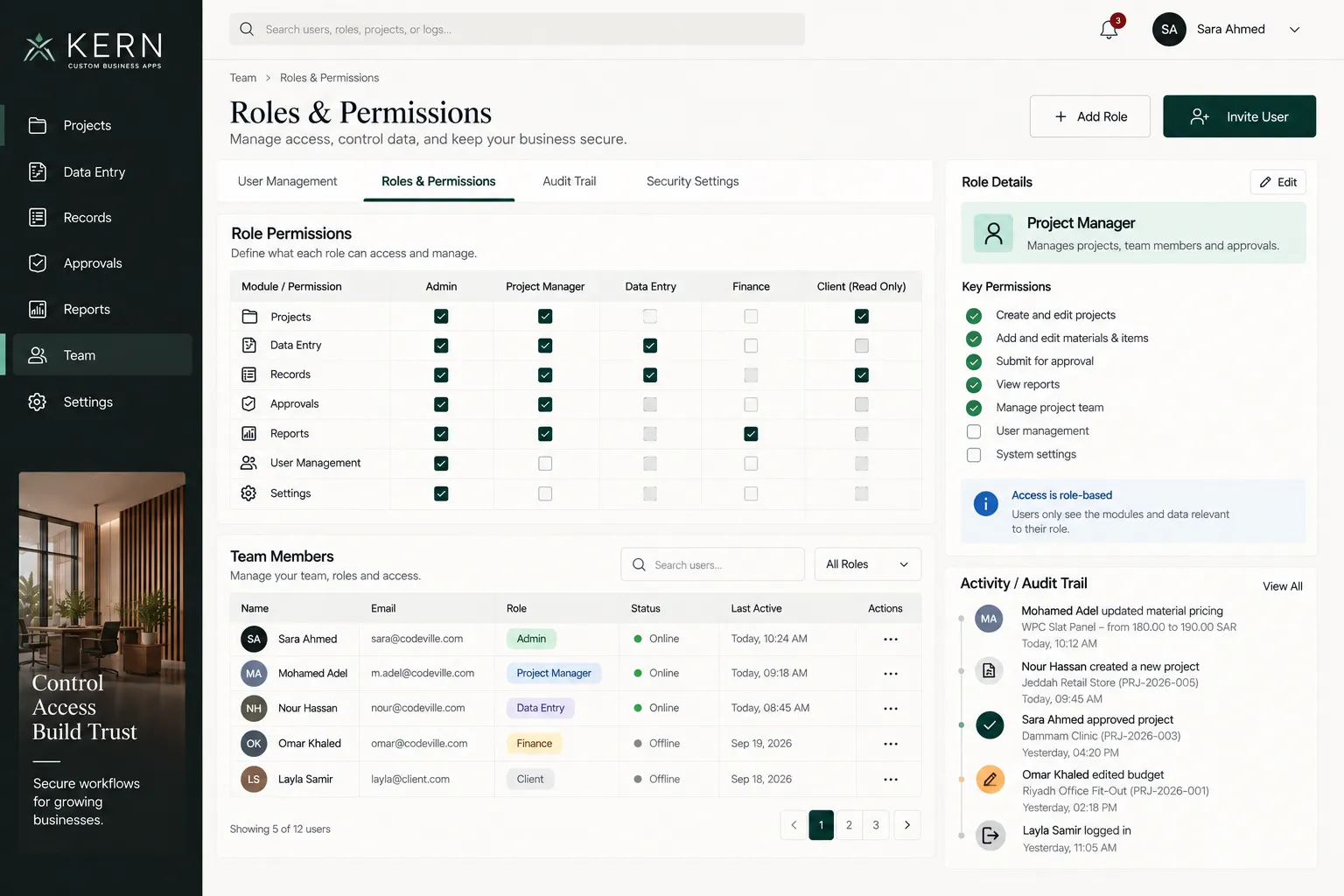
Give every role the access it actually needs.
Custom applications can reflect real responsibility: who can enter data, who can review it, who can approve it, and who should only see selected information.
Build around the process, not around the template.
KERN demonstrates CODEVILLE's approach to custom applications: understand how the work actually moves, turn that workflow into structured software, validate the important decisions, and give every user the right level of control.